
Let’s be real for a second. When you decide to launch an online business, the last thing you want to do is drain your savings on expensive software before you’ve even made your first dollar. I’ve been there—staring at monthly subscription fees that add up faster than my morning coffee budget.
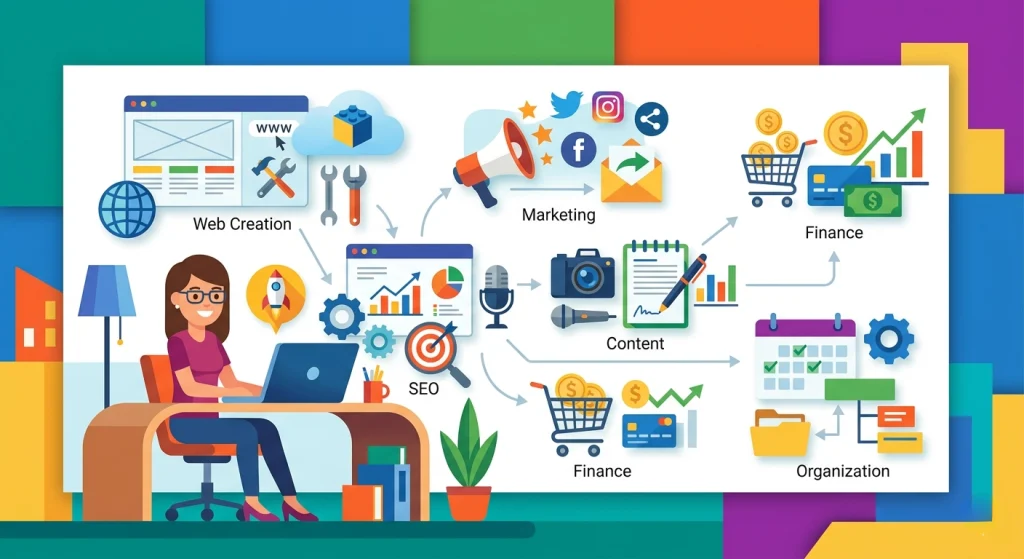
But here’s the good news: You don’t need a fat wallet to build a lean, mean, money-making machine. In fact, some of the best free tools to start and manage an online business are so powerful that even the big players use them. From designing a logo to scheduling social media posts, I’ve tested dozens of options to save you the headache. Let’s dive into my personal toolkit.
Why “Free” Doesn’t Mean “Cheap” Anymore
A decade ago, free tools were usually clunky, ugly, or stuffed with ads. Fast forward to today, and the landscape has totally shifted. Thanks to open-source communities and freemium business models, you can now run an entire company on $0 for the first six months.
The catch? You usually have to trade off advanced features (like team collaboration or massive storage) for the price tag of zero. But for a solopreneur or a small startup? This is pure gold.
The One Rule You Must Follow
Before we start downloading everything in sight, here is my number one life hack: Don’t over-stack your tech stack. Pick one tool per job. If a tool confuses you in the first 10 minutes, drop it. Your time is worth more than a “free” learning curve.
Website & Hosting – Get Online for $0
You might think you need to pay for Shopify or Bluehost immediately. Nope. Not anymore.
WordPress.org (The King of Free)
First on my list is WordPress.org (not to be confused with the paid .com version). This is the gold standard. It powers over 40% of the web, and it is 100% free to download. You will eventually need to pay for hosting (like $3/month), but here’s the trick: You can install it locally on your computer using Local WP (free) to build your entire site offline.
Real-life comparison: Using Wix’s free plan is like renting an apartment where the landlord puts their logo on your front door. Using WordPress is like owning the land. You control everything.
Canva Website Builder (For the Non-Techies)
If coding makes you break out in hives, try Canva’s Free Website Builder. Most people think Canva is just for graphics, but they launched a one-page website tool that is ridiculously easy. You drag, drop, and publish a free “.canva.site” domain. It’s perfect for a portfolio or a landing page to validate your business idea.
Design & Branding – Look Like a Pro for $0
You don’t need Adobe Photoshop. Honestly, you don’t even need a designer for the first few months.
Canva (The Non-Negotiable)
I know I mentioned it above, but Canva Free deserves its own shrine. With the free version, you get access to over 250,000 templates, thousands of free photos, and a background remover (look for the “BG Remover” button—it’s a lifesaver for product photos).
Example: Want to create an eBook cover, three Instagram posts, and a business card? Canva does it. The paid version is nice, but I used the free version for two years before I ever hit a limit.
GIMP (The Photoshop Killer)
Okay, Canva is great for templates, but what if you need to edit a complex image or create a transparent logo file? GIMP (GNU Image Manipulation Program) is your answer. Is it clunky? A little. Is it powerful? Very. Think of it as the manual transmission car of design—harder to learn, but once you do, you can do anything.
Project Management – Stop Losing Your To-Do Lists
When you start an online business, your brain turns into a browser with 47 tabs open. You need a system.
Trello (The Visual Board)
Trello’s free plan is a masterpiece. You get unlimited cards, unlimited lists, and up to 10 boards. I use it to track everything from “Content Ideas” to “Client Invoices.”
Life hack: Use the “Power-Up” feature (free for one per board) to add a calendar view. Suddenly, your chaotic sticky notes become a content calendar.
H3: Notion (The All-in-One Workspace)
If Trello is too simple for you, Notion is the Swiss Army knife. It is part wiki, part database, part to-do list. The free plan for individuals is incredibly generous (unlimited pages and blocks). I know freelancers who run their entire six-figure agency out of a single Notion dashboard.
But here’s the catch: Notion has a learning curve. It feels like a blank canvas, which can be paralyzing. Start with their “Task List” template; don’t try to build Rome on day one.
Marketing & Social Media – Reach Customers Without Ads
You don’t have a marketing budget? No problem. These tools leverage elbow grease instead of cash.
Buffer (The Schedule Saver)
Consistency beats intensity on social media. Buffer’s free plan lets you schedule up to 10 posts per social media account (Instagram, Facebook, Twitter, LinkedIn). It doesn’t have fancy analytics like the paid plans, but it does the core job: posting when you are asleep.
Real talk: I tried Hootsuite’s free plan, but it felt like navigating a submarine. Buffer is just simpler. Sometimes simple wins.
Mailchimp (Email Marketing for Beginners)
Email is still the highest ROI channel. Mailchimp’s free tier gives you up to 500 contacts and 1,000 emails per month. That is plenty for testing your product with friends, family, and early fans.
Warning: Once you pass 500 contacts, the price jumps. But by the time you hit that limit, you should be making money anyway. Use the free tier to validate if people actually want your emails.
AnswerThePublic (SEO Goldmine)
Want to know what people are searching for? AnswerThePublic gives you two free searches per day. Type in a keyword like “vegan leather bags” and it spits out every question people ask (“are vegan bags durable?” “how to clean vegan leather?”).
Why this is a life hack: Take those questions and turn them into blog posts or TikTok scripts. You are literally writing content that people are already searching for. Free traffic, baby.
Finance & Invoicing – Get Paid Without Paying Fees
Money is awkward. But you have to send invoices.
Wave (The Freelancer’s Best Friend)
Wave is hands-down the best free accounting tool for small businesses. It offers unlimited expense tracking, unlimited income tracking, and free invoicing. You can send professional-looking invoices, and clients can pay via credit card (they charge a 2.9% + $0.30 processing fee, which is standard).
Comparison: QuickBooks Self-Employed costs $15/month. Wave does the same thing for $0. The only downside? Wave doesn’t have a phone support line, but at that price, I’ll live.
PayPal Invoicing
Love it or hate it, PayPal is everywhere. Their invoicing tool is free to use (you just pay the transaction fee when they pay). It’s not as pretty as Wave, but if you just need to send a quick “Pay me $50” link to a client, it takes 20 seconds.
Communication – Stay Sane While Remote
Running an online business gets lonely. You need to talk to clients or partners.
Slack (The Watercooler)
Slack’s free plan keeps your last 10,000 messages and allows one-on-one video calls. For a team of 2-3 people, this is eternal. Pro tip: Turn off notifications after 7 PM. Just because it’s free doesn’t mean you need to be available 24/7.
Zoom (The Obvious Choice)
We all know Zoom. The free 40-minute limit on group calls is annoying, but here is the life hack: You can restart the meeting. Or, just use Google Meet (free, no time limit for 1:1 calls) baked right into your Gmail.
The Conclusion – Your First Step is Free
Look, starting an online business feels overwhelming because we think we need $5,000 for a “proper launch.” That is a lie. With this list of best free tools to start and manage an online business, you can build a website, design a logo, schedule your social media, send an invoice, and manage your projects today without spending a single cent.
The difference between successful entrepreneurs and dreamers isn’t money. It’s action.
Don’t Skip This:
Pick just one tool from this list right now. Do not try to install all of them. Just one.
- If you lack a website, go download Local WP.
- If you lack a logo, open Canva.
- If you lack organization, create a Trello board called “Launch Week.”
Got it? Great. Now go take that one small step. Your future business is waiting, and it costs you absolutely nothing to start. Drop a comment below and tell me which tool you are trying first!